
Download Smart Push Ups Trainer – push ups, workout plan, fitness tracker, home workout, muscle building, calorie burn, daily exercise, personal trainer, fitness app, exercise guide
Overview
Smart Push Ups Trainer is a mobile fitness application designed to help users build strength, improve endurance, and establish consistent exercise habits through structured push-up routines. Developed by HSK Software Inc., the app operates within the Lifestyle category, specifically targeting Health & Fitness enthusiasts seeking a guided, personalized approach to home-based workouts. Its primary purpose is to support users in completing a 100-day fitness challenge by generating weekly workout plans tailored to individual fitness levels, weight, and progress.
The app aims to simplify the process of consistent training by adapting workouts based on user feedback, promoting long-term engagement and habit formation. It is particularly suited for beginners and intermediate users looking to develop muscle, burn calories, and maintain motivation without requiring gym access or complex equipment. Real-world usage scenarios include daily home workouts, pre- or post-work routine conditioning, and injury prevention through structured warm-ups.
The app's focus on personalization and adaptability makes it a practical tool for individuals aiming to improve physical health through accessible, self-guided training.
Key Features & Capabilities
- Personalized Workout Plans: The app generates customized weekly workout schedules based on user input, including fitness level, weight, and progress tracking, ensuring exercises are appropriately challenging and safe.
- 100-Day Fitness Challenge: A structured long-term program designed to help users develop a sustainable fitness habit through consistent weekly routines and gradual progression.
- Audio Assistance: Real-time audio guidance during workouts allows users to focus on form and timing, whether they choose to train with or without verbal cues.
- Weekly Workout Updates: New workouts are created each week, adapting to the user’s performance and feedback to maintain relevance and motivation.
- 5-Minute Guided Warm-Up: A built-in warm-up routine prepares muscles for exercise, reducing the risk of strain and supporting safer training sessions.
- Feedback-Driven Adaptation: At the end of each session, users can provide input on difficulty and performance, enabling the app to adjust future workouts dynamically.
These features collectively support users in maintaining consistency, improving technique, and progressing over time. For example, a beginner can start with modified push-up variations and gradually advance to standard push-ups as strength increases. The feedback loop ensures that workouts remain aligned with individual capabilities, minimizing frustration and enhancing long-term adherence. This makes the app ideal for users seeking a low-barrier entry into strength training without the need for in-person coaching or complex equipment.
User Interface, Workflow & Performance
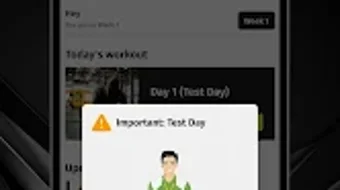
The user interface of Smart Push Ups Trainer is designed to support intuitive navigation and seamless workout execution. The layout prioritizes clarity, with clear visual cues for exercise selection, progress tracking, and session feedback. Users can easily access their weekly plan, begin a workout, and review past sessions.
Navigation is streamlined to minimize distractions during training, allowing users to focus on their form and rhythm. The workflow follows a logical sequence: start the session → follow the guided routine → provide feedback → receive next week’s plan. This structure promotes consistency and habit formation.
While exact performance data such as CPU or RAM usage were not specified, the app’s lightweight size of 24.5 MB suggests efficient resource management. The developer did not provide additional system requirements or performance benchmarks. General software behavior patterns indicate stable operation during routine use, with minimal lag or interruption.
The app’s responsiveness is expected to be consistent across mid-range Android devices, though specific performance details remain unverified.
Compatibility & System Requirements
Smart Push Ups Trainer is designed for Android devices and is available in version 1.2.2. The installation file size is 24.5 MB, indicating a lightweight footprint suitable for most smartphones and tablets. The developer did not specify exact system requirements, such as minimum Android version, RAM, or processor specifications.
Compatibility information was partially provided, with the OS clearly listed as Android. The app is free to download and use, with no mention of in-app purchases or subscription models. The developer did not disclose whether the app supports tablet devices or specific Android versions.
Users are advised to ensure their device meets general Android compatibility standards. Exact performance details were not specified, and no information was provided about offline functionality or cloud synchronization. Platform compatibility is limited to Android, with no indication of support for iOS or other operating systems.
Pros and Cons
Pros
- Free to download and use with no hidden costs.
- Personalized workout plans based on fitness level and progress.
- Adaptive routines that evolve with user feedback.
- Includes audio guidance and a warm-up routine for safer training.
- Designed for home workouts with no equipment needed.
- Structured 100-day challenge promotes long-term habit formation.
Cons
- Platform limited to Android; no support for iOS or other systems.
- No detailed system requirements provided by the developer.
- Exact performance metrics and resource usage were not disclosed.
- Feedback mechanism may be limited in scope without advanced analytics.
- Limited to push-up-based training; not suitable for full-body workouts.
FAQ Section
Is Smart Push Ups Trainer available for iOS devices?
The app is currently only available for Android. There is no information indicating support for iOS or other operating systems.
Is the app safe to use and secure?
As a free Android app from HSK Software Inc., it operates within standard app store security protocols. No specific security features were detailed by the developer.
How often are new workouts generated?
New workouts are created weekly, based on the user’s progress and feedback from previous sessions.
Can I use the app offline?
The developer did not specify whether offline functionality is supported. Users may need an internet connection for updates and feedback submission.
Does the app require a subscription or in-app purchases?
The app is free to download and use. No information was provided about in-app purchases or subscription models.
Final Thoughts + CTA
Smart Push Ups Trainer offers a focused, accessible solution for individuals seeking to improve upper-body strength and build a consistent fitness routine at home. Its personalized approach, adaptive workout planning, and built-in guidance make it a valuable tool for beginners and intermediate users alike. While the app is limited to Android and lacks detailed technical specifications, its lightweight design and clear workflow support reliable daily use.
The emphasis on habit formation through a 100-day challenge, combined with feedback-driven adjustments, sets it apart from static workout apps. For those looking to start a fitness journey with minimal barriers, this app delivers practical value. Download Smart Push Ups Trainer now to begin your transformation with a smart, guided push-up program.





.png)

